Kling 3.0 Omni AI Video Generator - Create Cinematic Videos from Text, Images & Video
Unified multimodal model with native audio, lip-sync, and multi-shot control
Unified Model
Kling Video 3.0 Omni
Launch
Feb 4, 2026
Modes
Text, Image, Video

Kling O3 Pro T2V
Text to Video
Duration
Default
Aspect Ratio
Default
Quick Answer
Kling 3.0 Omni at a Glance
Everything you need to know about Kling 3.0 Omni in one place.
What is Kling 3.0 Omni?
Kling 3.0 Omni is a unified AI video generation model that creates cinematic videos from text prompts, images, and existing videos. Launched on February 4, 2026, it features native audio generation, automatic lip-sync, multi-shot control (up to 6 cuts), and visual chain-of-thought reasoning for coherent scene logic.
Key Features at a Glance
- ✅Text to Video - Transform prompts into cinema-quality clips
- ✅Image to Video - Animate images with realistic motion
- ✅Video to Video - Remaster footage with AI styles
- ✅Native Audio - Built-in sound & lip-sync technology
- ✅Multi-Shot - 6 continuous cuts with style continuity
- ✅Resolution - Up to 4K output (Max plan)
Free Trial & Pricing
| Plan | Price | Credits | Resolution |
|---|---|---|---|
| Free Trial | $0 | 30 total | HD |
| Kling Pro | $19.44/mo | 1,000/mo | 1080p |
| Kling Max | $55.56/mo | 2,500/mo | 4K |
Who Uses Kling 3.0 Omni?
- 🎬Content Creators - YouTube, TikTok, Instagram videos
- 📣Marketers - Promotional videos, ads, social content
- 🎥Filmmakers - Storyboarding, pre-visualization
- 🎮Game Devs - Trailers, cutscenes, cinematics
- 📚Educators - Course videos, tutorials
- 🏢Agencies - Client projects, commercial productions
Kling O3 Text to Video Gallery
Kling O3 Text to Video
With Kling O3, you can transform text prompts into cinematic video. Prompt crafted for mood, lighting, and motion coherence in one pass.
Mecha Landing
A lone mecha from advanced civilization lands in the ruins of an ancient world. Behind it, a tattered cape falls from its shoulders, and each step causes the debris beneath its feet to shift. The camera focuses on its left side, emphasizing its height and metallic texture. Desaturated wasteland palette, details of the mecha mixed with heavy battle wear and energy wear.
Text to video preview
User Personas
Who Uses Kling 3.0 Omni? AI Video Generation for Every Creator
From solo creators to professional studios, Kling 3.0 Omni empowers everyone to generate cinematic AI videos. Here's how different professionals use our AI video generator.
YouTube Content Creators
Generate engaging intros, b-roll footage, and animated segments for YouTube videos. Kling's text to video creates cinematic clips that boost production value without expensive gear.
- • Video intros and outros
- • B-roll and stock footage
- • Animated explanations
- • Thumbnail background videos
Social Media Marketers
Create scroll-stopping content for TikTok, Instagram Reels, and YouTube Shorts. Kling's multi-shot control delivers multiple variations in one generation for A/B testing.
- • TikTok trend videos
- • Instagram Reels
- • Product demonstrations
- • Brand storytelling clips
Independent Filmmakers
Use Kling for storyboarding, pre-visualization, and pitch decks. Video to video style transfer creates consistent visual references for production teams.
- • Storyboard visualization
- • Pitch deck videos
- • Shot planning and framing
- • Concept art in motion
Game Developers & Studios
Generate cinematic trailers, cutscenes, and marketing materials. Kling's reference to video maintains character consistency across multiple shots.
- • Game trailer cinematics
- • Cutscene pre-visualization
- • Character animation tests
- • Marketing video assets
Educators & Course Creators
Create engaging educational videos without camera equipment. Text to video turns lesson scripts into visual explanations that improve student retention.
- • Course introduction videos
- • Concept visualizations
- • Animated tutorials
- • Lesson summaries
Marketing Agencies & Studios
Scale video production for clients with AI-generated assets. Kling's batch generation and 4K output meet professional studio requirements.
- • Client promotional videos
- • Social media ad campaigns
- • Product videos in bulk
- • Brand story animations
Kling O3 Image to Video Gallery
Kling O3 Image to Video
Use reference frames to guide movement and style. Kling O3 blends motion, lighting, and camera dynamics into a coherent sequence.
Prompt
A boy with short brown hair riding a yellow mecha in ruins, a determined look on his face. The camera follows the mecha from the front, showing its large mechanical body. The sunlight casts long shadows, and dust rises from its steps.


Image to video output
Comparison
Kling 3.0 Omni vs Other AI Video Generators
See how Kling compares to Runway, Pika, Sora, and other leading AI video generation tools. Choose the right platform for your needs.
| Feature | Kling 3.0 Omni | Runway ML | Pika Labs | Sora (OpenAI) |
|---|---|---|---|---|
| Model Architecture | ✅ Unified multimodal | Separate models per task | Specialized video model | Video-focused model |
| Text to Video | ✅ Yes | ✅ Yes | ✅ Yes | ✅ Yes |
| Image to Video | ✅ Yes | ✅ Yes | ✅ Yes | ⚠️ Limited |
| Video to Video | ✅ Yes (style transfer) | ✅ Yes | ❌ No | ❌ No |
| Native Audio Generation | ✅ Yes (built-in) | ❌ No (3rd party only) | ❌ No | ⚠️ Limited |
| Automatic Lip-Sync | ✅ Yes (native) | ❌ No | ❌ No | ⚠️ Experimental |
| Multi-Shot Control | ✅ 6 continuous cuts | ⚠️ 2-3 shots | ❌ Single shot only | ⚠️ Limited |
| Max Resolution | ✅ 4K (Max plan) | ✅ 4K | ✅ 1080p | ✅ 1080p |
| Free Trial | ✅ 30 credits | ✅ 125 credits | ✅ 250/day | ❌ Waitlist only |
| Commercial Use | ✅ Yes (all plans) | ✅ Yes (paid) | ✅ Yes (Pro) | ⚠️ Unclear |
| Watermark-Free | ✅ Yes (paid plans) | ✅ Yes (paid) | ✅ Yes (Pro) | ❌ All watermarked |
| Pricing (Monthly) | $19.44 - $55.56 | $12 - $76 | $8 - $58 | TBA (not public) |
| Visual Reasoning | ✅ vCoT (chain-of-thought) | ⚠️ Basic | ❌ No | ⚠️ Limited |
Unified Model
One system handles text, image, video, and audio inputs—no need for multiple tools.
Native Audio
Built-in lip-sync and sound generation eliminates post-production work.
Multi-Shot Mastery
6-cut control delivers cinematic narratives in a single generation pass.
Transparent Pricing
Clear credit system, no hidden fees, free trial includes commercial use.
Kling O3 Reference to Video Gallery
Kling O3 Reference to Video
Blend multiple references into a single coherent sequence with control over set, character, and motion consistency.
Prompt
A blue-eyed little elephant is playing with a beach ball with its trunk in an Italian-style garden. Around it is a flowing rectangular pool and white sofas in the outdoor lounge. The sunny, clear sky and vibrant greenery surround the pool.
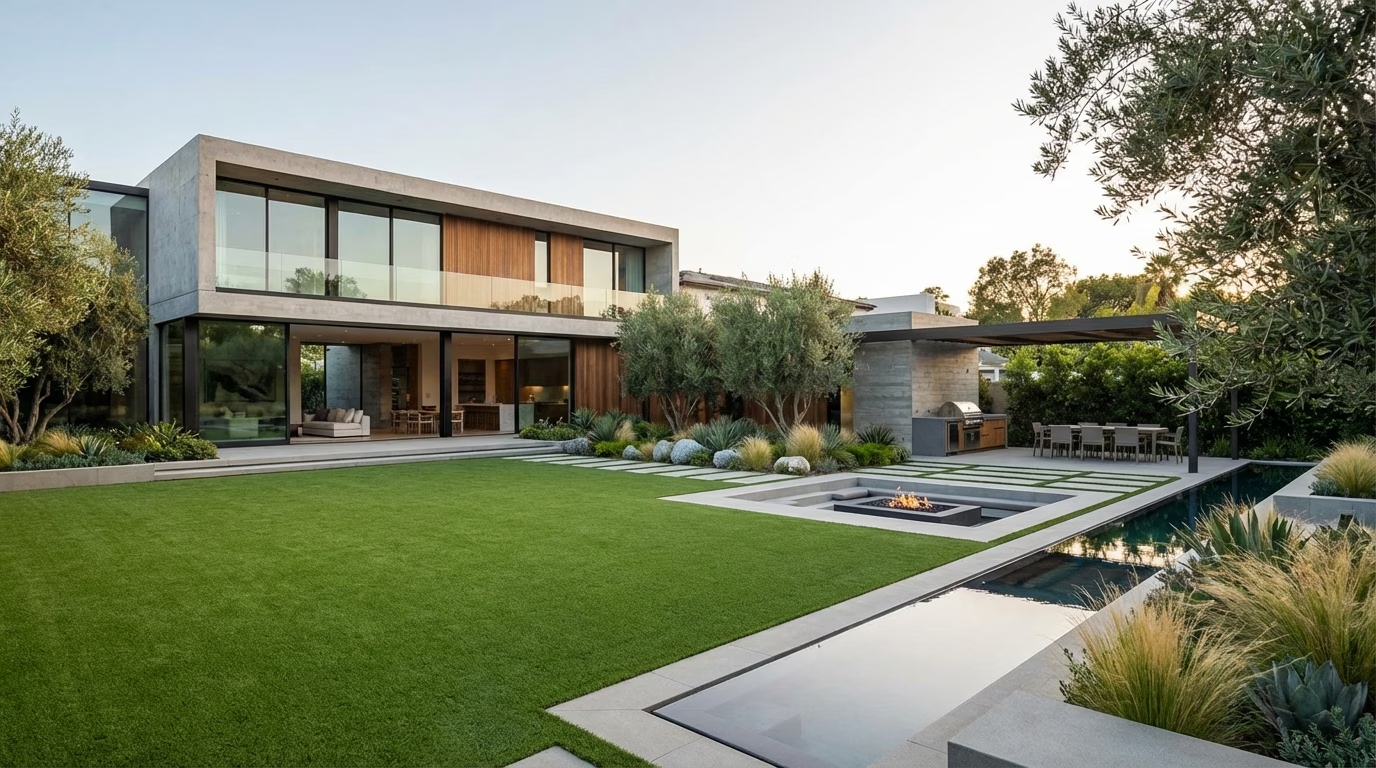

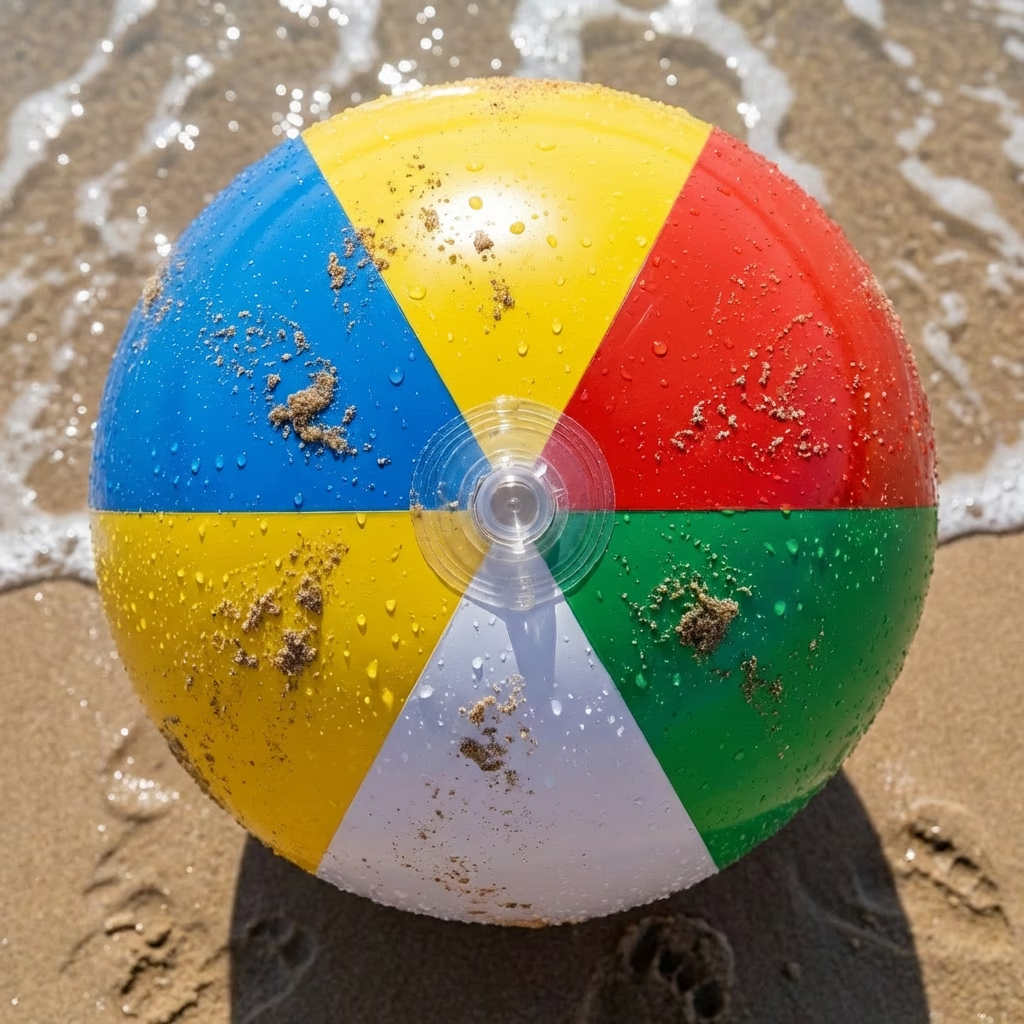
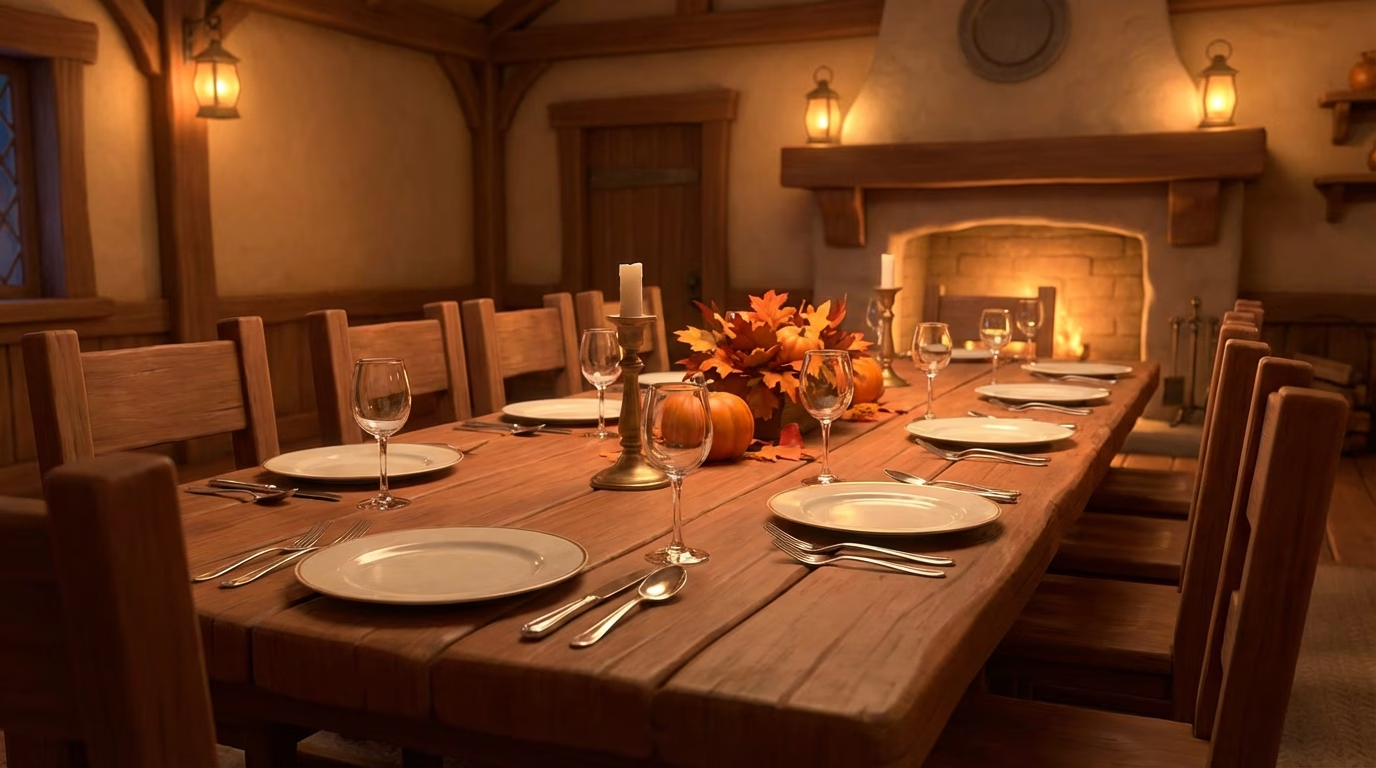
Reference to video output
Kling O3 Video to Video Gallery
Kling O3 Video to Video
Remaster existing footage into new styles, update lighting, and refine motion in a single pass.
Input Video 1
Input Video 2
Output Video
Prompt
A man stands in the center of the shot, face tinted green, as if pulled from a distorted dream. The camera slowly dollies in, his gaze steady. A grainy, retro palette with soft bloom and muted highlights.
Kling O3 Text to Image Gallery
Kling O3 Text to Image
Use Kling O3 for vivid stills with the same style continuity found in the video stack.
Prompt
A confident high-fashion model with immaculate skin wears a bold moss-green ruffled dress. Her expression is poised and strong as she stares directly into the camera. Studio lighting with glossy highlights and editorial styling.
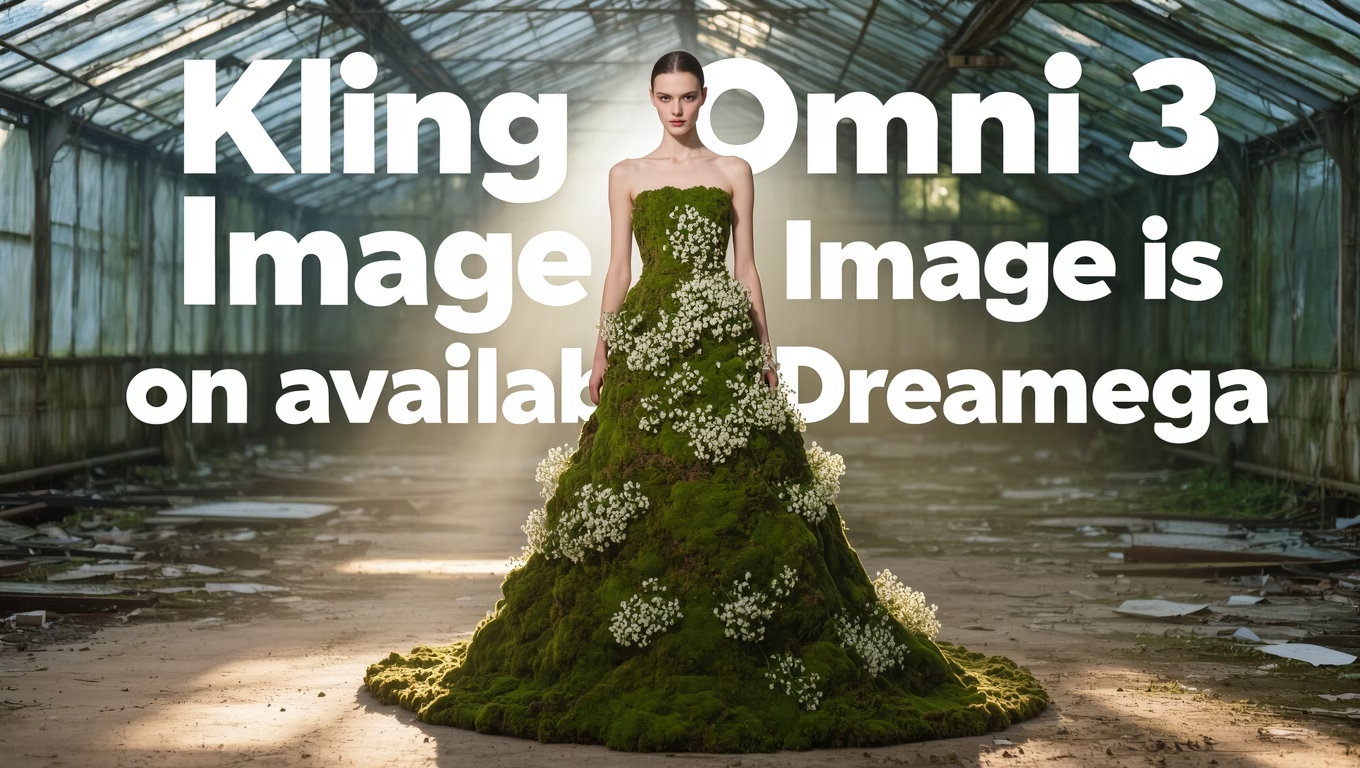
Kling O3 Image to Image Gallery
Kling O3 Image to Image
Transform references into new variations while keeping lighting, material, and composition intact.
Prompt
A sleek silver sports car rendered in a cinematic 3D style. The camera angle is low and dramatic, with soft reflections and a high-end studio background.

Kling O3 YouTube Videos
Kling O3 YouTube Videos
Watch real-world demos and prompt walkthroughs from the Kling O3 community.
Kling 3.0 | Official Trailer
Kling AI
Kling 3.0 Omni in the Wild
Dreamega
Text to Video Showcase - Kling O3
DreamWorks Lab
Kling 3.0 Prompting Tips
Creative AI

Kling O3 Cinematic Reel
Motion Frames
Kling O3 Popular Reviews on X
Kling O3 Popular Reviews on X
Community reactions to Kling O3 highlight the jump in coherence, lighting, and multi-shot control.
Will Lin
@WillLin
Kling 3.0 O3 just raised the bar for image to video. The motion is cleaner, the lighting is more cinematic, and the details stick. Insane leap.
Paul Couvert
@PaulCouvert
Kling 3.0 is absurd. I was not ready for how smooth the camera moves are. Posting Kling content from now on.
Wes Roth
@WesRoth
Kling 3.0 feels like game over. The motion logic and fidelity are way ahead right now.
Qaisar
@Qaisar
Massive leap in AI video. Kling O3 finally nails coherence across cuts. The multi-shot control is real.
AI Kid
@AIKid
Wooooow. Kling 3.0 looks like a film crew shot it. Mindblowing depth and lighting.
Chris Rayner
@chrisrayner
Kling 3 is unbelievably good. Every example I saw felt like a polished trailer shot.
What is Kling Video 3.0 Omni
What is Kling Video 3.0 Omni
Kling Video 3.0 Omni is the flagship unified multimodal model from Kling AI. It merges text, image, and video generation into a single system, adds native audio, and introduces stronger visual reasoning for cinematic output.
Unified Audio + Video
One model handles input from text, images, video, and sound for richer, more coherent generation.
Native Lip-Sync
Realistic speech timing and facial motion keep dialogue consistent without extra passes.
6 Cuts Multi-Shot
Direct multi-shot control with six continuous cuts and stylistic continuity.
vCoT Visual Reasoning
Visual chain-of-thought improves scene logic, camera moves, and object consistency.
Kling Video 3.0 Omni Key Features
Kling Video 3.0 Omni Key Features
The Omni model focuses on multi-shot control, high-fidelity lighting, and tool-level generation controls for creators.
Video-Based Subject Creation
Generate a consistent subject and motion identity from a single clip or sequence.
Natural Dialogue Generation
Speech timing aligns with natural mouth movement and emotion delivery.
Multi-Element Enhancements
Refine textures, lighting, and motion layers without breaking the core scene.
True-to-Life Highlights
Physically believable highlights, reflections, and cinematic color science.
Multi-Expression
Control multiple facial expressions and body language within a single take.
Adaptive Configurations
Switch between fast prototyping and high-fidelity rendering modes instantly.
Flexible AI Pricing
Flexible AI Pricing
Access Kling O3 through flexible subscription plans. Choose the billing cadence that matches your production schedule.
Kling Pro
Best value$8.25 / mo
12,000 credits / year
- 3 priority tasks
- 2 active generation tasks
- Up to 5 new tasks in queue
- Up to 1080p HD
- Watermark-free downloads
- Commercial use
- Extend videos
- Image generation
Kling Lifetime
Pay onceLifetime access
1,000 credits included
- One-time payment, no renewals
- Commercial use
- Watermark-free downloads
- Access to premium generation
FAQ
Frequently Asked Questions About Kling 3.0 Omni
Get answers to common questions about Kling AI video generator, features, pricing, and use cases.
What is Kling 3.0 Omni and how does it work?
Kling 3.0 Omni is a unified AI video generation model that creates cinematic videos from text prompts, images, and existing videos. Launched on February 4, 2026, Kling uses a multimodal architecture to generate video, audio, and lip-sync in a single system.
Unlike other AI video generators that require separate tools for different tasks, Kling's unified model handles text to video, image to video, video to video, and reference to video generation—all with native audio and automatic lip-sync. The model's visual chain-of-thought (vCoT) reasoning ensures scene coherence, camera logic, and object consistency across shots.
Is Kling 3.0 Omni free to use? What's included in the free trial?
Yes! Kling offers 30 free credits to new users—12 credits immediately upon signup, plus 18 additional credits after 7 days. No credit card is required to start. Your free credits include full access to all generation modes (text, image, video to video) and watermark-free downloads with commercial use rights.
After using your free credits, you can upgrade to:
- Kling Pro: $233.25/year ($19.44/month) - 12,000 credits/year (1,000/month), 1080p HD, 3 priority tasks
- Kling Max: $666.75/year ($55.56/month) - 30,000 credits/year (2,500/month), 4K resolution, 8 priority tasks
What can I create with Kling AI video generator?
Kling 3.0 Omni supports multiple creation modes for diverse use cases:
- Text to Video: Transform detailed prompts into cinematic clips with camera movement, lighting, and motion
- Image to Video: Animate static images with realistic motion, camera pans, and scene dynamics
- Video to Video: Remaster existing footage with new styles, update lighting, or refine motion
- Reference to Video: Blend multiple visual references (images, video clips) into a single coherent sequence
- Text to Image: Generate still images with video-style quality and consistency
- Image to Image: Create variations while preserving lighting, material, and composition
Common creations include YouTube videos, TikTok content, marketing videos, storyboards, game trailers, and educational content.
How does Kling compare to Runway, Pika or Sora?
Kling 3.0 Omni differentiates from competitors with several unique advantages:
- Unified Multimodal Architecture: One model handles text, image, video, and audio—versus Runway's separate models per task
- Native Audio & Lip-Sync: Built-in sound generation with automatic mouth movement synchronization—versus competitors' post-production audio workflows
- Multi-Shot Control: Generate up to 6 continuous cuts with style consistency—versus single-shot tools like Pika
- Visual Chain-of-Thought: Advanced reasoning for scene logic, camera moves, and object coherence—versus basic prompt-following
- Transparent Pricing: Clear credit system with free trial and commercial use—versus Sora's unclear availability and pricing
Kling is ideal for creators who need all-in-one video generation with professional audio and cinematic multi-shot capabilities.
What video formats and resolutions does Kling support?
Kling generates videos in MP4 format with H.264/AVC encoding for maximum compatibility across platforms, devices, and video editors.
Resolution support by plan:
- Free Trial: Up to 720p HD
- Kling Pro: Up to 1080p Full HD
- Kling Max: Up to 4K Ultra HD (3840×2160)
Aspect ratio is configurable with optimized default settings. Common ratios include 16:9 (landscape), 9:16 (vertical for TikTok/Reels), and 1:1 (square for Instagram). All paid plans include watermark-free downloads.
Can I use Kling for commercial projects?
Yes, both Kling Pro and Kling Max plans include full commercial use licenses. All generated videos are watermark-free and you retain complete rights to use them for:
- YouTube and video platform monetization
- Social media content (TikTok, Instagram, Facebook, X)
- Marketing materials and advertisements
- Client projects and freelance work
- Corporate and business presentations
- Paid productions and commercial films
The free trial credits also permit commercial use without watermarks, making Kling ideal for testing the tool on real projects before committing to a subscription.
Does Kling generate audio and lip-sync automatically?
Yes, Kling 3.0 Omni features native audio generation and automatic lip-sync as part of its unified model. This is a key differentiator from competitors that require separate audio tools or post-production synchronization.
Audio capabilities include:
- Speech generation with natural timing and intonation
- Sound effects synchronized to on-screen actions
- Ambient audio for scene atmosphere
- Lip-sync technology ensuring mouth movements match dialogue precisely
Audio is generated alongside video in a single pass—no need to record voiceovers separately or manually sync audio in post-production.
What is the maximum video length I can generate?
Video duration uses a configurable "Default" setting in the generation interface. Kling optimizes duration based on your content and selected mode.
Kling's multi-shot generation supports up to 6 continuous cuts in a single generation pass, enabling longer narrative sequences with scene changes, camera angles, and style transitions—all while maintaining character consistency and visual coherence.
For longer projects, you can generate multiple clips and combine them in a video editor. Kling's style continuity ensures consistent aesthetics across multiple generations.
How many credits do I need to generate one video?
Credit cost per video depends on generation mode, resolution, and duration. While exact costs vary, here are general guidelines:
- Text to Video: 1-5 credits per generation (depending on length)
- Image to Video: 1-3 credits per video
- Video to Video: 2-6 credits per remaster
- Reference to Video: 3-8 credits (multi-input processing)
Higher resolutions (4K vs 1080p) and longer durations consume more credits. The Kling Max plan offers 2,500 credits/month for high-volume production, while Kling Pro provides 1,000 credits/month for individual creators.
Your account dashboard shows real-time credit balance and cost estimates before generation.
What's the difference between Kling Pro and Kling Max plans?
Both plans include watermark-free downloads, commercial use, video extension, and image generation. Key differences:
| Feature | Kling Pro | Kling Max |
|---|---|---|
| Price (yearly) | $233.25 ($19.44/mo) | $666.75 ($55.56/mo) |
| Credits | 12,000/year (1,000/mo) | 30,000/year (2,500/mo) |
| Priority Tasks | 3 simultaneous | 8 simultaneous |
| Active Generations | 2 at once | 5 at once |
| Task Queue | Up to 5 queued | Up to 20 queued |
| Resolution | Up to 1080p HD | Up to 4K Ultra HD |
Kling Pro is ideal for individual creators, YouTubers, and small teams. Kling Max suits professional studios, agencies, and high-volume production environments needing 4K output and faster processing.